
Transfer notes between accounts
What is note transfer?
Note transfer allows you to move your meeting notes from one Granola account to another. This is useful when you’re switching to a new email address, joining or leaving a company account, or consolidating multiple accounts.
Please note: this feature allows you to import notes from a previous account into the current one you're logged into. You will need access to the previous email account to verify ownership.
How to transfer notes
Follow these steps to transfer your notes from an old account to a new one:
Log into your new Granola account (the account you want to transfer notes to)
Click on your workspace name in the bottom left corner of the app
Click Settings
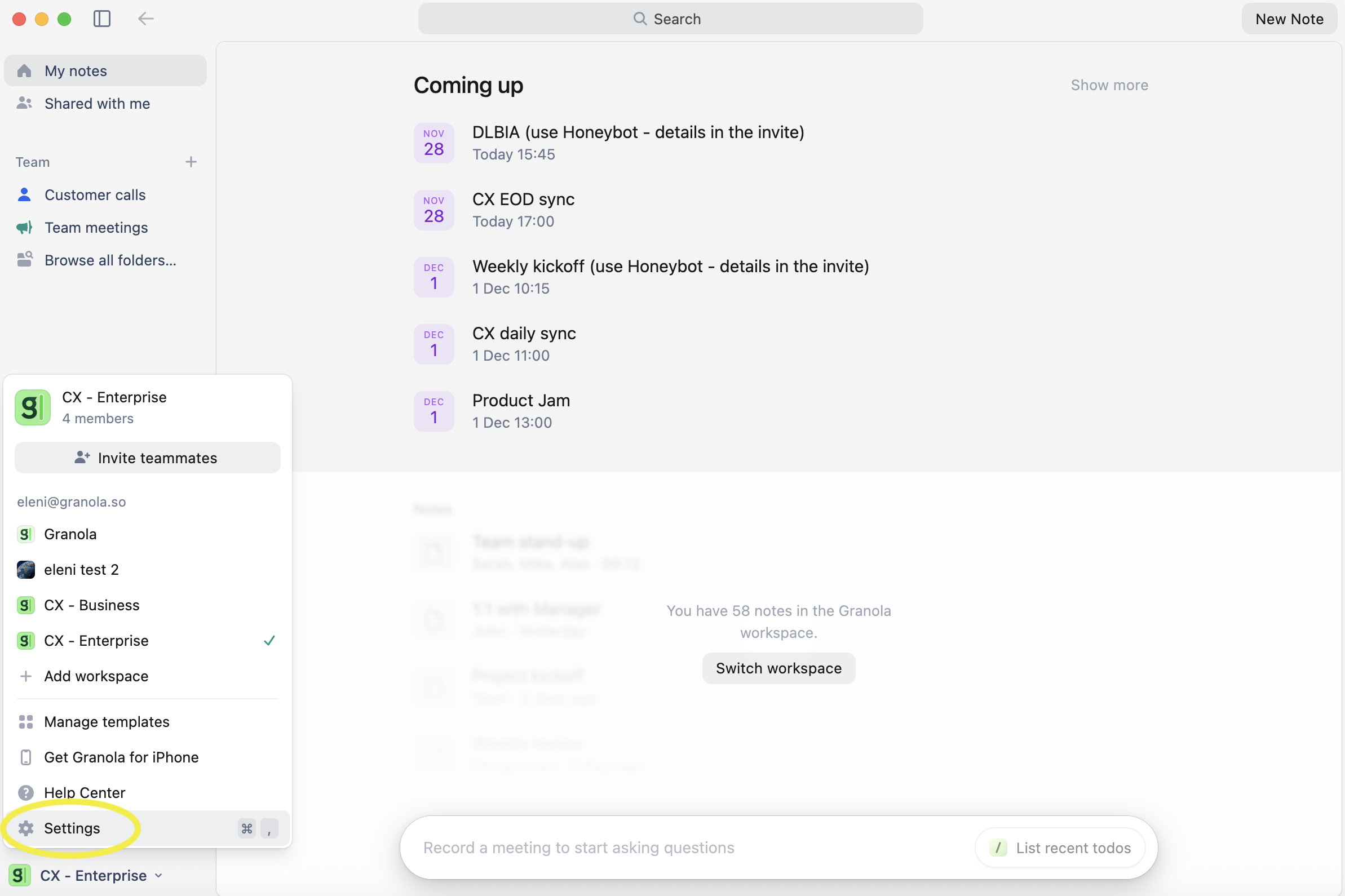
Click on Profile in the settings menu
Scroll down to the section called “Transfer notes from another Granola account”
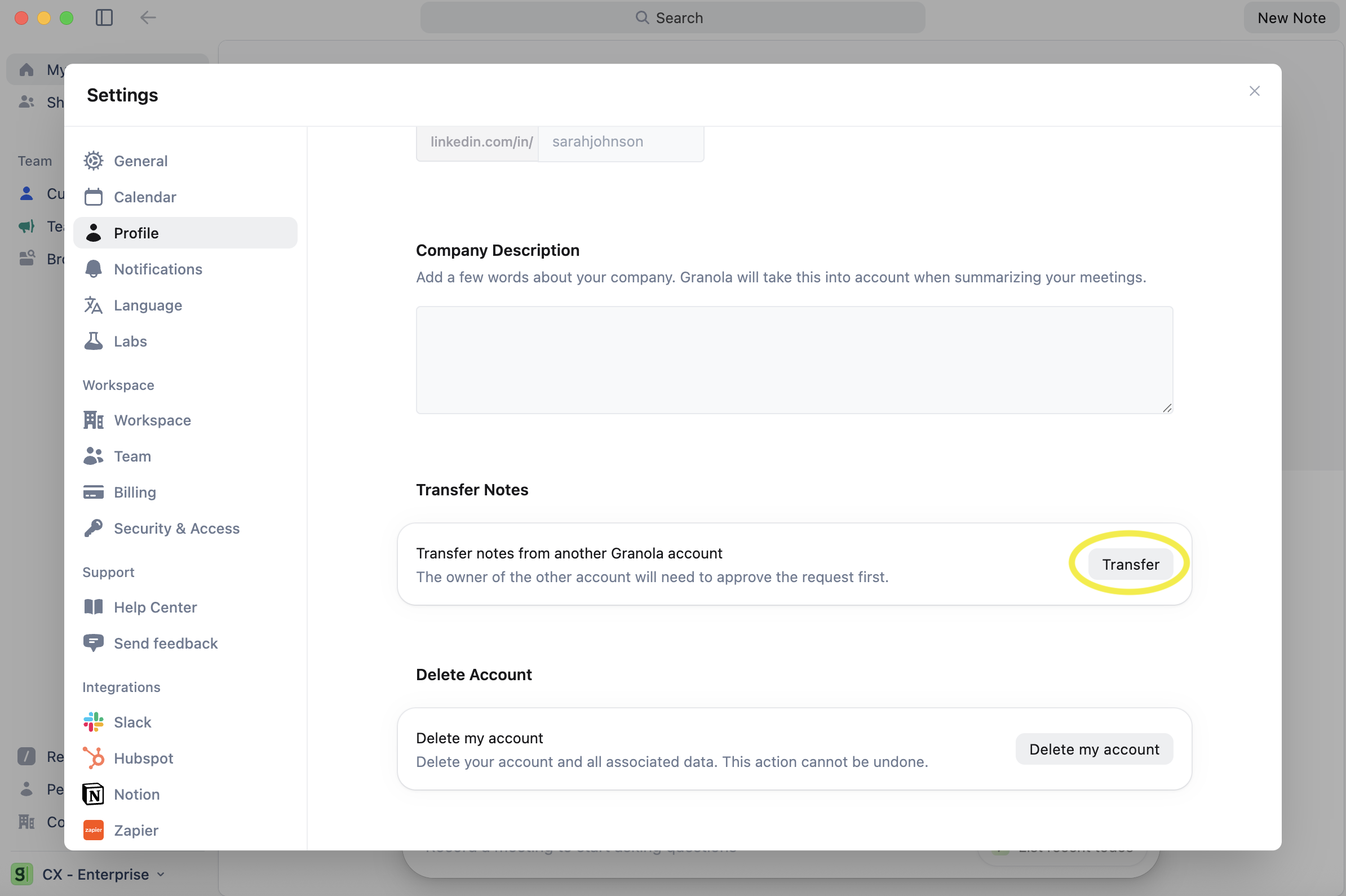
Enter your old account’s email address
Check your old email inbox for a verification code
Enter the verification code to confirm you own the old account
Once verified, your notes will automatically transfer to your new account. Your notes will be moved (not copied), so your old account will no longer contain any notes.
Important limitations
Before transferring your notes, be aware of what doesn’t transfer with them.
Subscriptions - Your subscription plan stays with your old account. You’ll need to set up a new subscription in your new account to continue accessing premium features like transcriptions.
Folder organization - While all your notes transfer safely, their folder structure doesn’t come with them. You’ll need to recreate your folders and reorganize your notes manually after the transfer.
Troubleshooting
Transfer not working
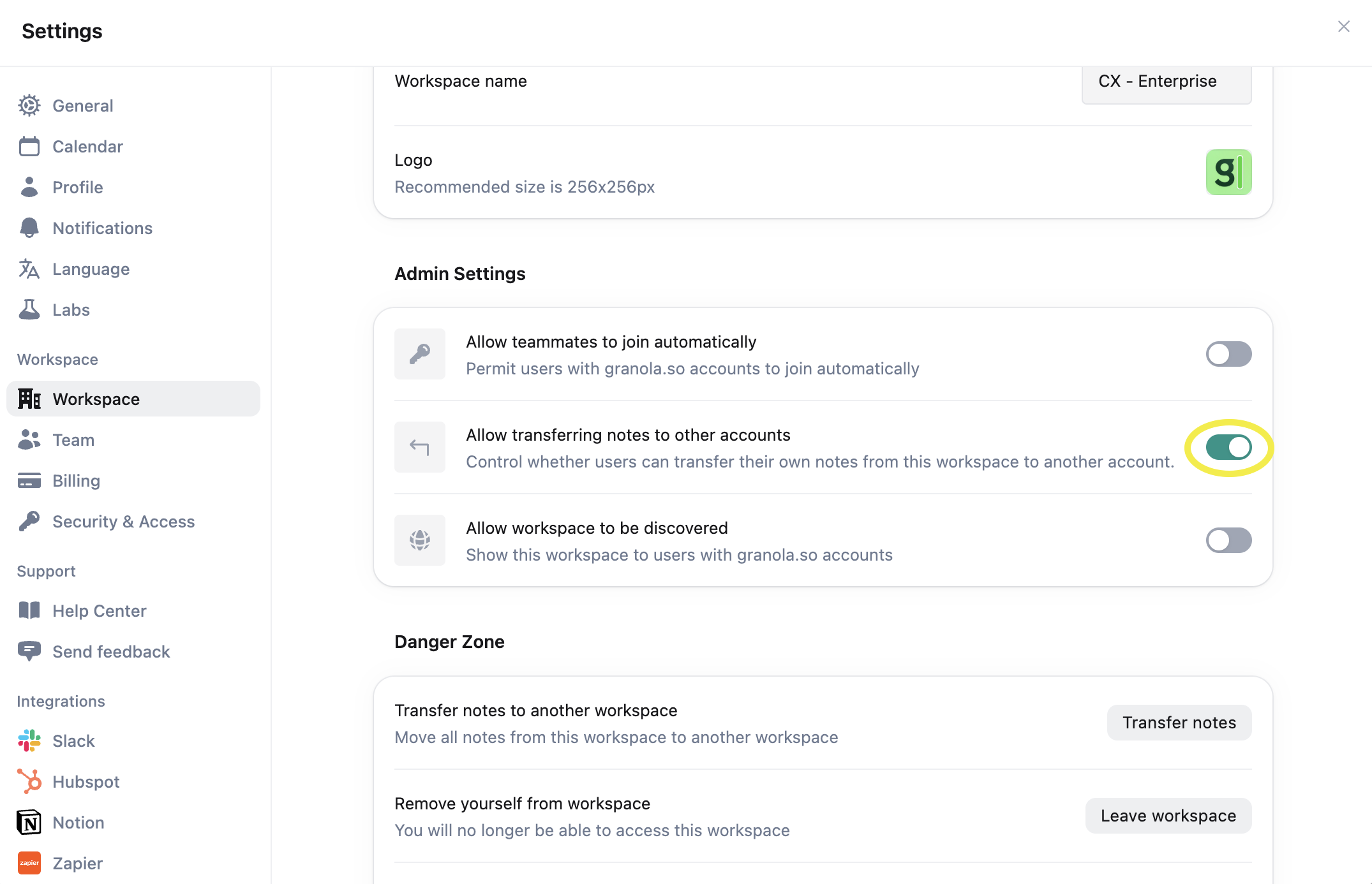
If you’re part of a company workspace, your workspace admin may have disabled note transfers. Check with your admin - they can enable transfers in the Workspace settings.
Don’t have access to old email
You must have access to your old email address to verify ownership and complete the transfer. For privacy and security reasons, there’s no alternative verification method available.