
Deleting and restoring notes
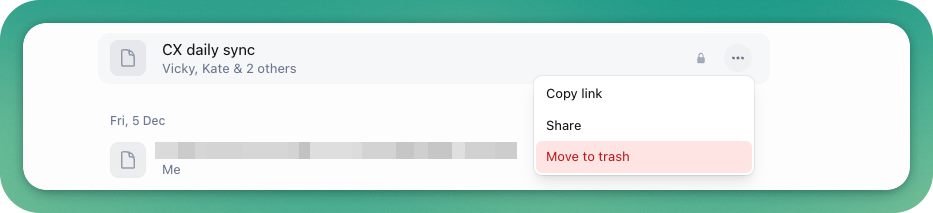
If you've created a note by accident, or you don't have any need for it any more, you can delete it by hovering over a note and clicking the three dots on the right-hand side of the note, then selecting 'move to trash'.
Deleting or restoring notes from trash
The trash can will appear at the bottom of the left-hand sidebar once you've moved a note to the trash - if you've got lots of folders, you might have to scroll down. It won't appear if you haven't got any notes in the trash.
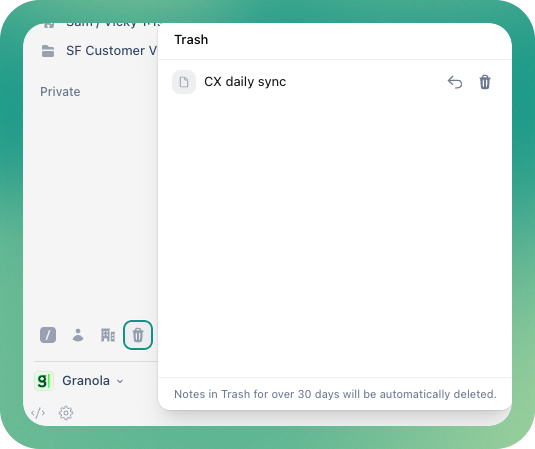
Use the back arrow to restore a note, or the trash button to delete it permanently. Notes in the trash for over 30 days will be automatically deleted permanently.
Once a note is deleted permanently, there's no way of restoring it - so please make sure you're deleting the right thing!